All Alliance Safety Council locations will be closed December 24 and December 25 for the Christmas holiday.

Managing A Remote Team

Here are some tips on successfully managing a remote team.

1. Be Present and Available

This might seem like a no-brainer but with the flexibility of remote work comes a lot of distractions like children, family members, roommates, pets, the overwhelming list of household chores that never ends… the list goes on. We will always have something going on in our life that will be a distraction from work or will cause a disruption in our normal work schedule. However, it is very important to inform your team about any major changes to your daily schedule so they can be prepared for any possible delayed responses on your end.

2. Set Frequent, Recurring Meetings Each Week

Most people like to look at the upcoming week on their calendar, see any team meetings and plan work or personal time accordingly. We all know that things can change. Work priorities can switch in a moment or a personal emergency can alter standing recurring meetings. But, for as much as you can, keep your team meetings planned for the same day and time each week. These meetings allow for all team members to get together, discuss their work progress, ask you any questions about current or upcoming work and generally just catch up, whether work related or just what they have planned for the weekend. This is a great way to invest in relationships and get to know more than just the “work-side” of your team.

3. Set Up a Form of Collaboration/Communication

Depending on the type of work you do this might not be necessary but even if your team does not need to collaborate, it’s still important to set up a form of communication between you and the team aside from traditional email. Utilizing Microsoft 365 along with Microsoft Teams has become a very popular form of collaboration and communication. You can keep things very simple by utilizing the chat function among your team or depending on the work, you can set up public and private teams and add channels on specific projects and clients within a private team to further deepen the collaboration and communication.

4. Track Team Progress

Creating a formal way to track team progress is a great way to stay up to date on project and task status without having to ask your team members every time you need to know something. Depending on the work, the way you track progress can be very simple and informal, with a daily or weekly updated spreadsheet. Or, you can allow for greater insight and perspective by using tools like Toggl Track, Jira, Trello and Basecamp. Using a project management software tool also allows for your team to have greater control and insight into what other team members are working on, including what is on the horizon. Just remember, do not take advantage of the insight these tools provide and start micromanaging your team!

5. Celebrate Successes

Everyone wants to feel and know that their work is valued. It’s very easy to get caught up in the day-to-day workload and forget about all the things your team has accomplished over the last week, month and year. Acknowledge the value and skill set that each team member brings to the table and celebrate successes as a team and on an individual level. 

Written by Pyvot E-Learning Project Manager Victoria Hymel

Creating A Professional Online Presence

Chances are your world got a lot more virtual over the past year. Jobs moved online, schools moved online … Let’s face it – Due to quarantine requirements, most of our lives moved online due to COVID-19. Whether or not this shift to virtual interactions is new to you, there are a few rules of thumb you can follow to ensure you are projecting the best version of yourself in cyberspace.

Creating a professional online presence

Following these five easy tips will help you keep a positive, professional online presence when working with others in your next Zoom meeting:

  1. Place the camera even with your face: This mimics a face-to-face interaction. Looking down on the camera can be perceived as condescending, while looking up at the camera is just plain awkward.
  2. Tidy up your background space: Don’t forget that your workspace is a reflection on you. Removing clutter and overly personal items helps project a streamlined image; if you wouldn’t have an object at your physical worksite, don’t include it in your visible background at home.
  3. Invest in a headset: The ability to easily hear the online meeting coupled with blocking out your own household’s background noise makes this purchase well worth the money!
  4. Dress the part: If you are meeting with supervisors or other professionals, dress as you would if you were meeting with them in person.
  5. Use the mute button: In group meetings of three or more people, mute yourself while you are not speaking. This blocks out inadvertent (and potentially embarrassing!) noises such as pets, children, lawnmowers… the list goes on. Just remember to un-mute yourself when it’s your turn to speak!

Whether via Zoom, Google Meet or some other online platform, virtual get-togethers are the new “normal.” Make the most of it by putting your best face forward in cyberspace!
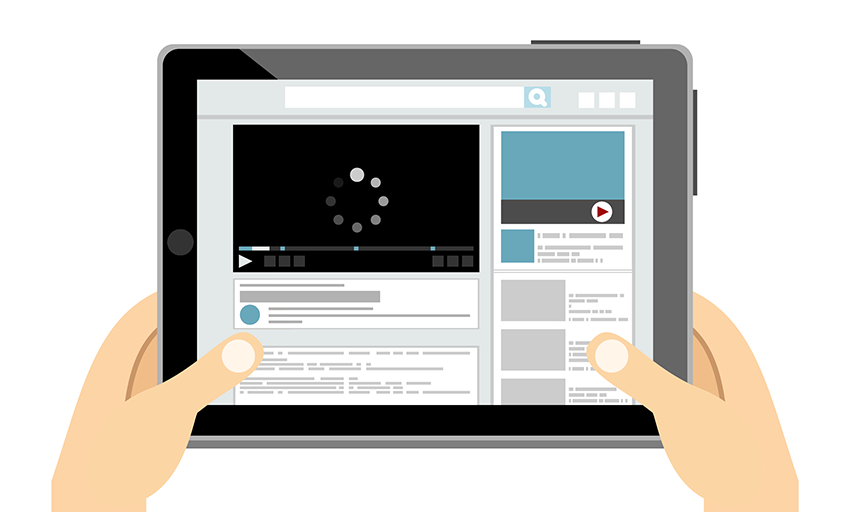
Video elements are excellent ways to convey information in computer-based training (CBTs). A short, single video can demonstrate something that would otherwise take many words (and slides!). However, all video is not created equal. How many times have you seen a video clip that was in the wrong orientation, too small, too grainy or too shaky?  Don’t fall victim to bad video. 

Here are 10 Tips for Excellent Video in Computer Based Training

  1. Use proper camera orientation, especially when using a cell phone, so always record in landscape (short and wide) as opposed to portrait (tall and narrow).
  2. Use a tripod or gimbal to prevent shaking (at the very least, use two hands and move slowly).
  3. Get the camera as close to your subject as possible (fill the frame) without overuse of zoom, which will degrade the footage and increase shaking.
  4. Footage will be more interesting when the subject is close and in full view.
  5. More light is always better. Be aware of the level of lighting when shooting inside units and control rooms. Turn on all available lighting. If lights aren’t available, have the subject face an open doorway or window to make use of natural lighting. Remember to always have more light in front of your subject than behind to avoid backlighting or dark exposures.
  6. Panning left/right or up/down is generally okay, but don’t overdo it. Also, try not to zoom in and out.
  7. Always shoot every scene at least twice. You never know when someone walked through the scene, coughed, etc., so you need at least two versions from which to choose your footage.
  8. If your subject messes up narrating, don’t start over. Just back up one or two sentences and continue on. You can correct the mistake in editing.
  9. Most cell phones use edit friendly file types, and any file type that can be edited and rendered as an .mp4 is acceptable. This is rarely ever an issue anymore with today’s technology, but if you are using a stand alone camera you will want to check for .mp4 compatibility.
  10. Shoot a lot of B-roll or secondary footage. People talking, walking, writing, using doors or switches, or operating equipment or machines. Example: If you are recording a scene for a gate with scales, do not just record one truck entering or leaving scale. Record two or three trucks, some from the front and some from the rear, as well as the scale operator and truck drivers interacting and doing paperwork. Again, keep the camera still while recording, avoiding fast or jerky motion.

Using these tips will result in video clips that are clean, smooth and ready for your training needs!

View our COVID-19 response webinar

To our valued members and partners, we are here to help get you through this. You are not alone. Taking great care of you and your teams is at the center of everything we do.

We invite you to view our on-demand COVID-19 Response webinar by clicking here.

Please reach out to us at 877-345-2515 if any of the service offerings or solutions presented in this webinar would ease any pains you’re experiencing right now. If there are other challenges you’re currently faced with, let us know.

Simple safety measures can save lives, and we stand ready to emulate that in our facilities.

Our COVID-19 safety measures

Beginning Oct. 27, in accordance with a new proclamation signed by Gov. John Bel Edwards, Alliance will no longer require masks in its facilities for students and employees. Alliance will continue to offer students masks if they request them.

Simple safety measures can save lives, and we stand ready to emulate that in our facilities. For us, this includes the following:

The Alliance team is continuously monitoring developments and following guidance from the World Health Organization (WHO), the Centers for Disease Control and Prevention (CDC), OSHA and other trusted sources. We will inform our members as circumstances or recommendations change. Rest assured, we’re doing everything in our power to provide a safe experience for our members today and every day.

To best protect your employees, always look for ways of improving established safety procedures. Don’t assume what’s in place is as good as it gets. I am an HSE manager at a chemical plant, and we recently changed two safety protocols for one of the most dangerous environments for workers: confined spaces.

Your most valuable resources are your human resources.

Without them, your business doesn’t function.

We had a man working in a confined space, and we followed safety procedures requiring someone to be posted at the entry portal to monitor conditions inside the vessel. The man in the vessel came out, saying that he suddenly felt lethargic. The worker at the entry portal checked the monitor and reported there was no issue. The man was sent back in and nearly passed out because the oxygen level had dropped below 19.5 percent.

Though workers had used flanges to blind the vessel, it wasn’t done as closely as possible to the work area. This allowed other workers to unknowingly access valves in between the worker and the blind. They released nitrogen into the vessel to clean it, which caused the oxygen levels to drop dangerously low for the worker inside.

Improving Safety Procedures

This incident was a close call that could have ended tragically. We assessed our safety plan for confined spaces, and found two ways to improve it:

  • We now give each person working in a confined space a personal monitor. Monitoring at the entry portal can’t always account for conditions deeper inside the vessel. Had the worker in the confined space had his own monitor, he would have known immediately that he needed to get out.
  • Blinding must be done as close as possible to the worker in the confined space. This has always been something of an “unwritten” industry rule, and as such, it was often disregarded when circumstances made it easier to blind in another area. Blinding as close as possible is now our official procedure in all cases.

To ensure your employees are safe on the job, it must be understood by every level of management that safety rules need to be adaptable. As situations arise, it’s important to reassess safety plans and see if there is room for improvement. Having a positive safety culture is an important aspect of reassessing rules. Employees who feel supported by management will be more likely to come forward with valuable input and suggestions. Stay tuned for tips on establishing a strong, positive culture of safety.

Has a safety incident ever left you wondering why such a risk was taken in the first place?

Blame our DNA

Humans are hard-wired to be risk takers. It’s helped us survive as a species, but on an individual level, especially in a hazardous environment, risk-taking is not helping us.

To combat these instincts, safety professionals have to constantly sell employees on safety, especially in instances when the danger is very real but lies years down the road. It’s not that hard to persuade someone to wear cut-resistant gloves to prevent chopping off a finger. The danger is immediate and easy to recognize, and the solution is simple. It’s harder to persuade people to take additional, inconvenient steps to prevent a problem they can’t see or feel in the moment.

This problem came up for me recently. I was out in the field and saw a man with a very impressive ZZ Top beard about to start welding. Although he had his PPE, his beard prevented the respirator from forming a proper seal. Inhaling welding fumes damages lungs and can cause cancer later in life. The “later in life” aspect diminished the threat in his eyes. There were no immediate repercussions to deter him from working this way.

The alternatives were to shave his beard (that he had clearly been growing for years) or to find someone else to do the work for him. Neither of those options were appealing, so instead he planned to work in a hazardous environment without proper protection because the threat was invisible and easy to ignore.

I told him, “Look, if I let you weld like you are now, you’ll feel no pain. You’ll go home and I’ll probably never see you again. But I’m responsible for your safety. It’s my job to make sure you aren’t exposed to something that can cause you cancer 20 years down the road, so I’m asking you to shave for your health.”

Safety in the workplace

As safety professionals, we run into situations like this all the time because we’re asking people to do things that don’t come naturally. Keeping your employees safe, both in the moment and years down the line, is our number one responsibility. It doesn’t matter if the job takes longer to finish or it’s inconvenient. Safety has to trump convenience in the workplace, even if it challenges our human instincts to take risks.

envelopephone-handsetmap-markerbubblecross